This post is maintained by Bytebase, an open-source database DevSecOps tool that is a Liquibase/Flyway alternative. We update the post every year.
| Update History | Comment |
|---|---|
| 2023/06/27 | Initial version. |
| 2025/05/23 | Update for 2025. |
| 2026/02/03 | Flyway 2026, Liquibase 5.0, pricing/licensing changes. |
When looking for a database CI/CD and schema migration change tool, Flyway (Redgate) and Liquibase are two common options. Understanding the differences between these two tools can help potential users choose the one that best meets their needs.
What Flyway and Liquibase have in common
- Java-based, providing Java SDK and CLI.
- Provide open-source community version and closed-source commercial version.
- Native SQL supported, however Liquibase requires XML changelog to define the changes.
- Database CI/CD with version control system #GitOps (see Database GitOps configuration).
- Auto SQL check (see Auto SQL check).
- Schema Synchronization (see Sync schema).
- Tiered pricing, offering both free and paid plan.
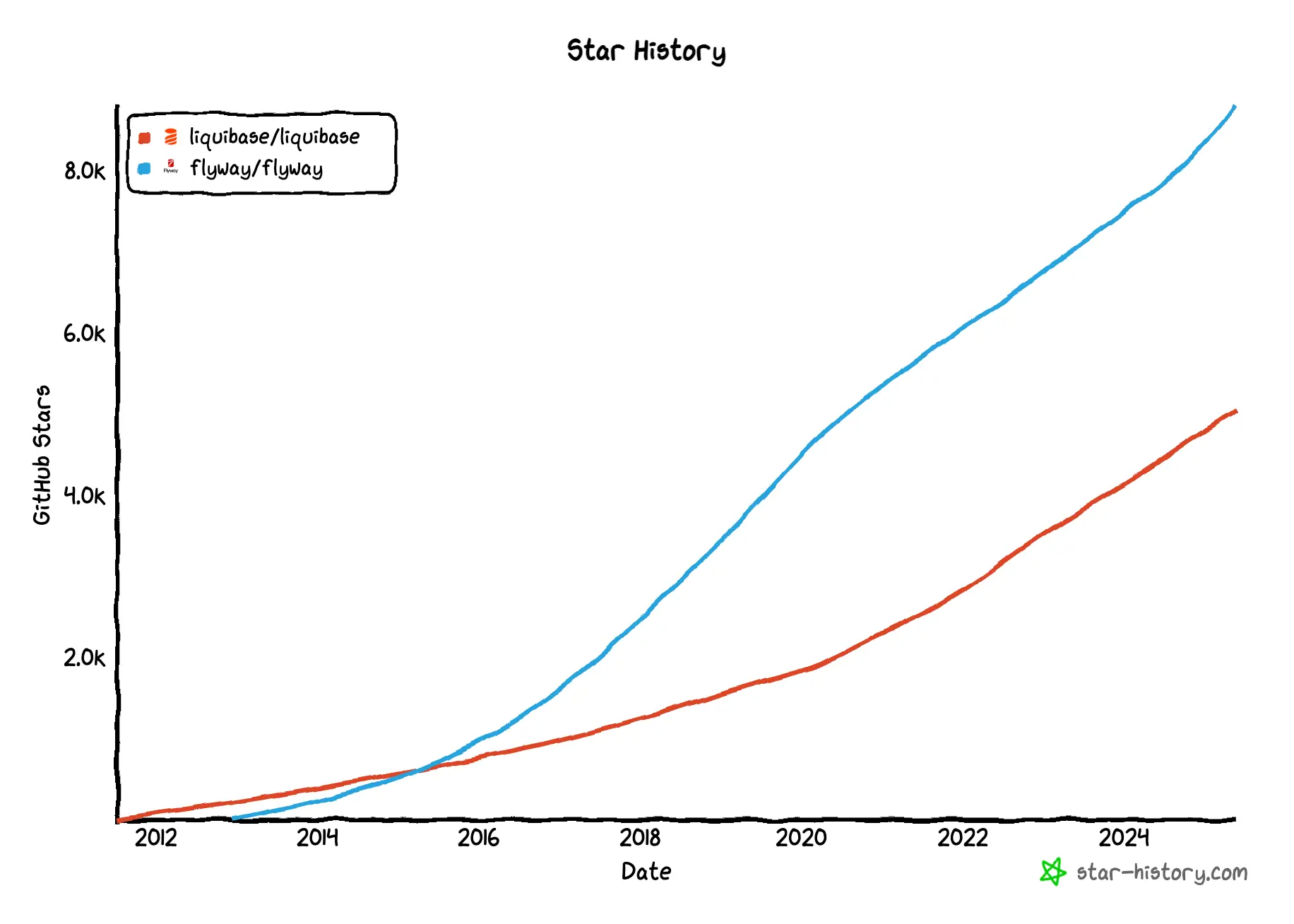
- Open source, both has long history.
What are the differences between Flyway and Liquibase?
While both Flyway and Liquibase are tools for database CI/CD, there are some key differences between the two. The following table summarizes the differences between Flyway and Liquibase.
| Flyway | Liquibase | |
|---|---|---|
| Product position | Schema Change & Version Control | Schema Change & Version Control |
| Developer interface | CLI + Flyway Desktop | CLI |
| Supported databases | 22 Only SQL + MongoDB (preview) | 50 SQL & NoSQL DB |
| Programming language and installation | Java + JVM | Java + JVM |
| Change execution | SQL script + CLI | Changelog (SQL, XML, JSON, YAML) + CLI |
| Change orchestration | Numbering of SQL files | Changelog + Flow |
| Database GitOps | ✅ | ✅ |
| SQL auto check | ✅ | ✅ |
| Change history | ✅ | ✅ |
| Sync schema | ✅ | ✅ |
| Rollback | ✅ | ✅ |
| Schema drift detection | ✅ | ✅ |
Product position
-
Flyway: A database schema change and version control tool.
-
Liquibase: A database schema change and version control tool. It helps you track, manage, and automate changes to your database.
Developer interface
-
Flyway: A command-line tool with Java API, Maven plugin, and Gradle plugin. Flyway Desktop has been enhanced with full Schema Model view and Git history tracking, available for SQL Server, PostgreSQL, MySQL, and other supported databases.
-
Liquibase: Primarily a command-line tool. The Liquibase Hub GUI was sunset in May 2023, with focus shifting to CLI and integration capabilities.
Supported databases
-
Flyway: 22+ SQL databases with support for:
- MongoDB (Native Connectors mode only; JDBC support removed in 2025)
- SinglestoreDB
- Google Cloud Spanner
- EnterpriseDB
- TimescaleDB
- Postgres 18, SQL Server 2025, Oracle 26ai (added 2025)
- Full compatibility for all databases in Community version
-
Liquibase: 50+ SQL and NoSQL databases with enhanced support for:
- Databricks (added 2025)
- Google BigQuery (including DATABASECHANGELOGHISTORY table support)
- Continued MongoDB support
- Snowflake with OAuth/PKI authentication
Installation
-
Flyway: Java-based tool requiring JVM installation. In 2025, configuration has moved to unified flyway.toml format, deprecating the older JSON format.
-
Liquibase: Java-based tool requiring JVM installation. Liquibase 5.0+ requires Java 17 minimum (Java 8/11 deprecated). MacOS .dmg installer was deprecated in favor of Homebrew installation.
Change execution
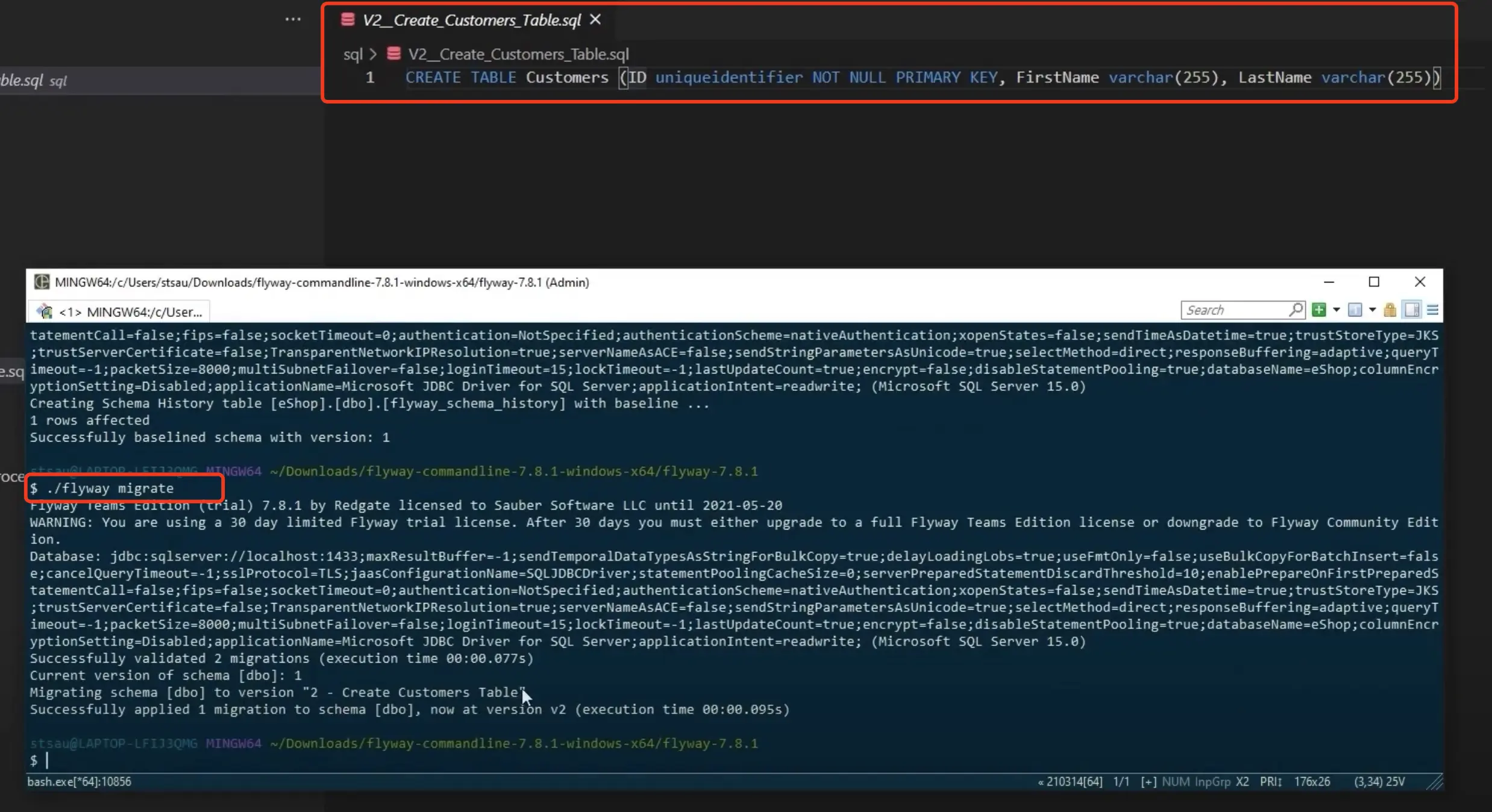
- Flyway: CLI or GitOps. Users write SQL files and then run command
flyway migrate. In 2025, enhanced capabilities for script migrations and callbacks have been added to the Community version.
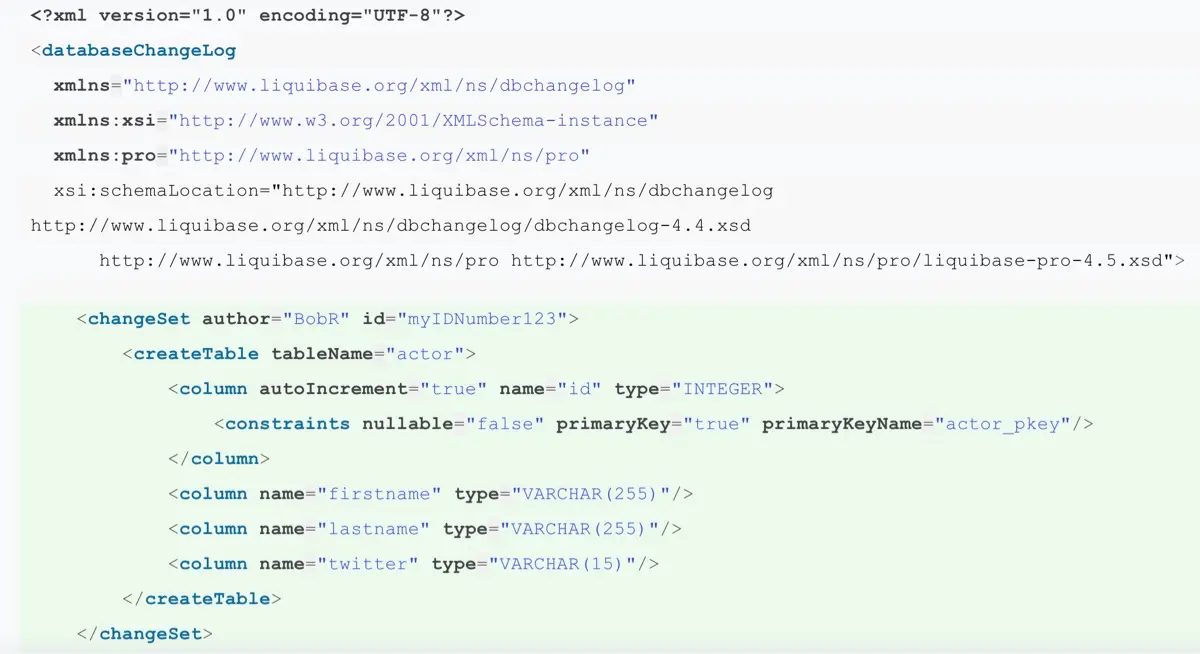
- Liquibase: CLI or GitOps. Users specify the changes by defining a
changelogand then run a command. In 2025, flow enhancements provide more sophisticated orchestration capabilities.

Change orchestration
-
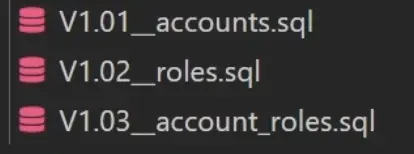
Flyway: Number the SQL files in the order you want them to be executed.
-
Liquibase: Specify the order of changes in the changelog file. In 2025, Flow capabilities have been enhanced with conditionals and more advanced orchestration features.
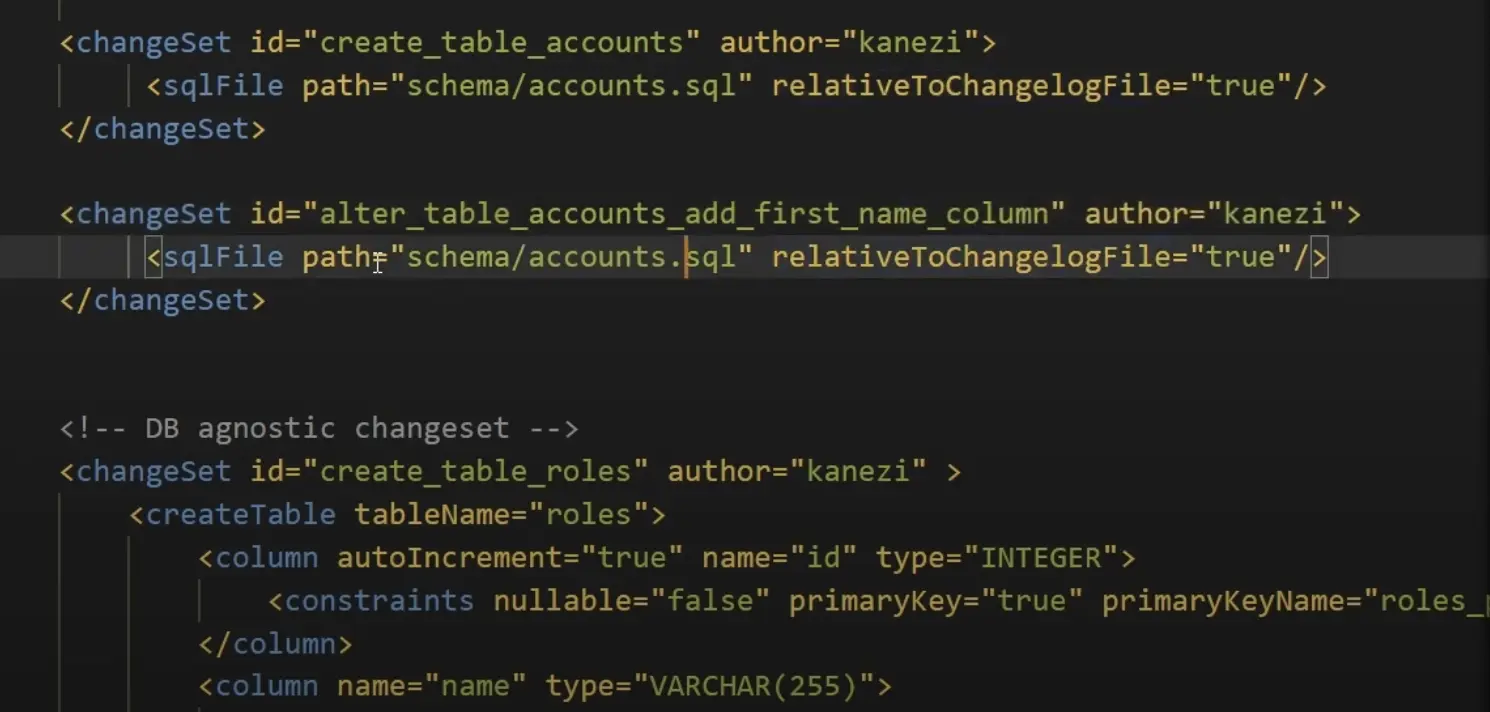
Liquibase continues to be more flexible as it can specify arbitrary orders, and the enhanced flow file capabilities in 2025 make orchestrating complex steps even more powerful.
Database GitOps configuration
-
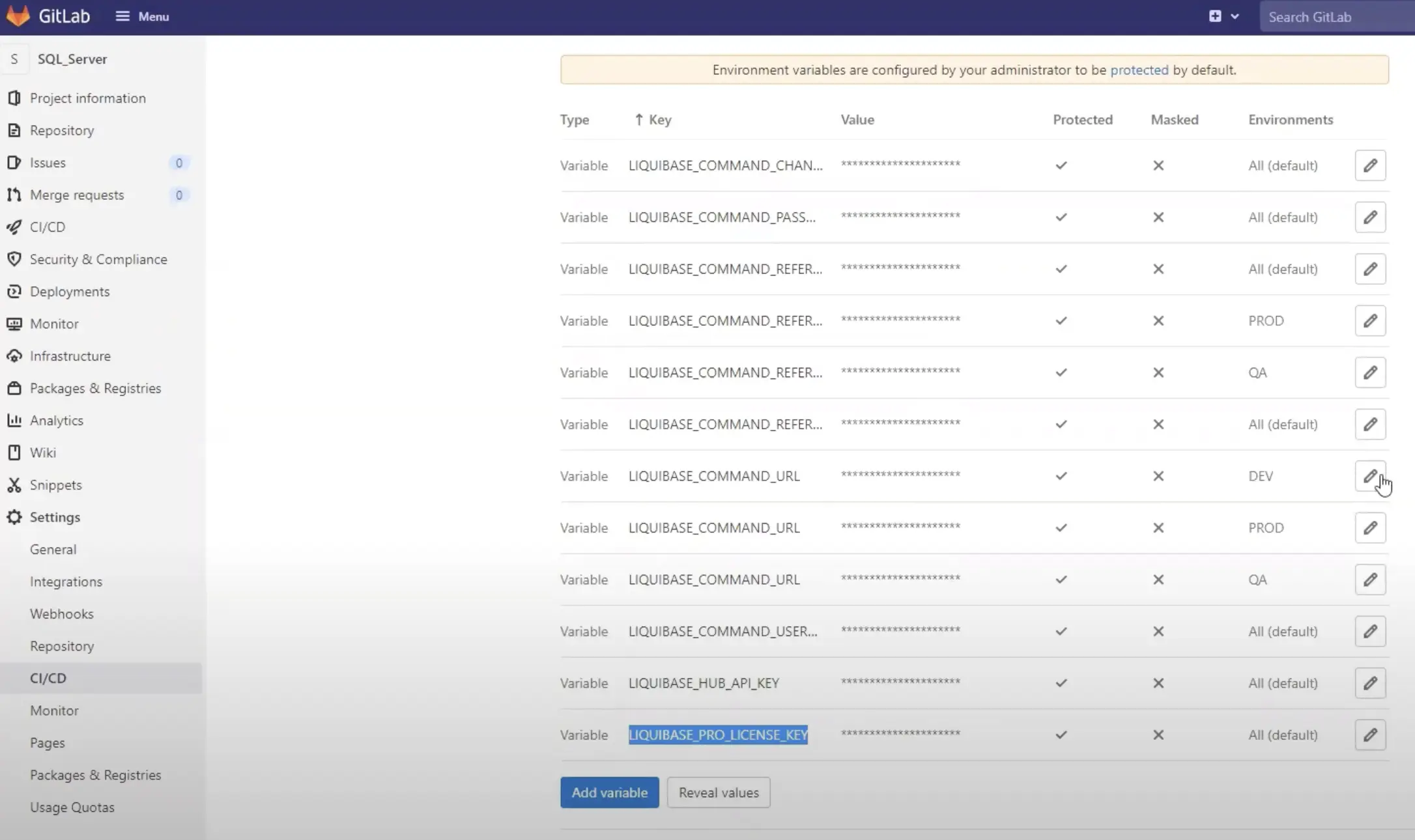
Flyway: Configure with VCS CI/CD workflow manually. In 2025, integration with Test Data Manager and Docker for dedicated development databases improves the GitOps workflow.
-
Liquibase: Configure with VCS CI/CD workflow manually. In 2025, enhanced validation and error messaging improve the GitOps experience.

SQL auto check
SQL auto check helps developers write less buggy SQL and save DBAs manual review efforts.
- Flyway: Code Analysis with enhanced drift detection in 2025
- Liquibase: SQL Quality check with improved Policy Checks in 2025
Supported plan
- Flyway: Enterprise only (Teams discontinued in 2025)
- Liquibase: Paid tiers only (Starter and above)
Number of rules
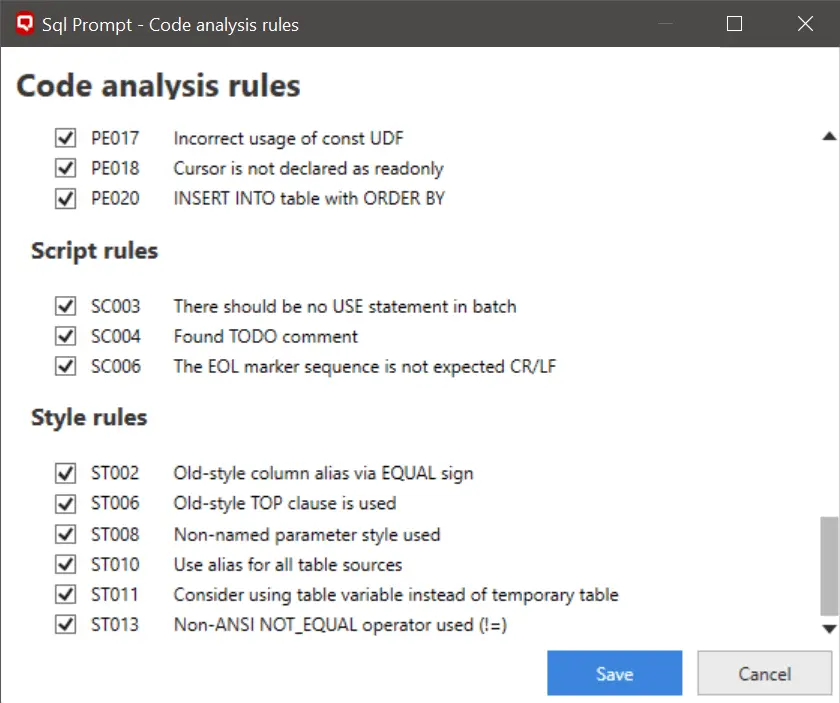
- Flyway: 10+ general rules or integrate SQLFluff for more rules
- Liquibase: Enhanced policy checks with more comprehensive validation in 2025
How to configure
-
Flyway: Predefined, users may set them active or not. In 2025, improved configuration through unified flyway.toml.
-
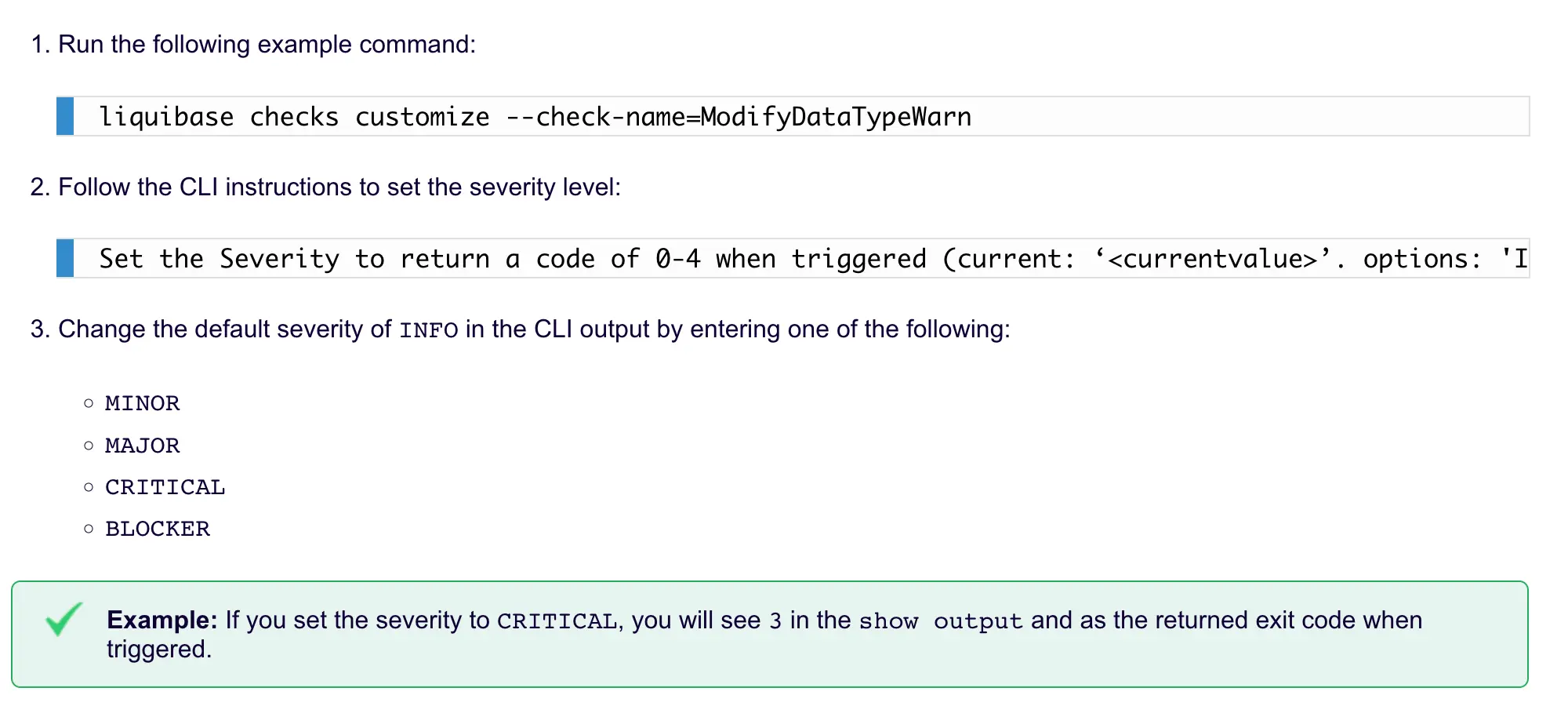
Liquibase: Predefined, users may set levels while calling. Python-based Custom Policy Checks available in paid tiers.
How to trigger
-
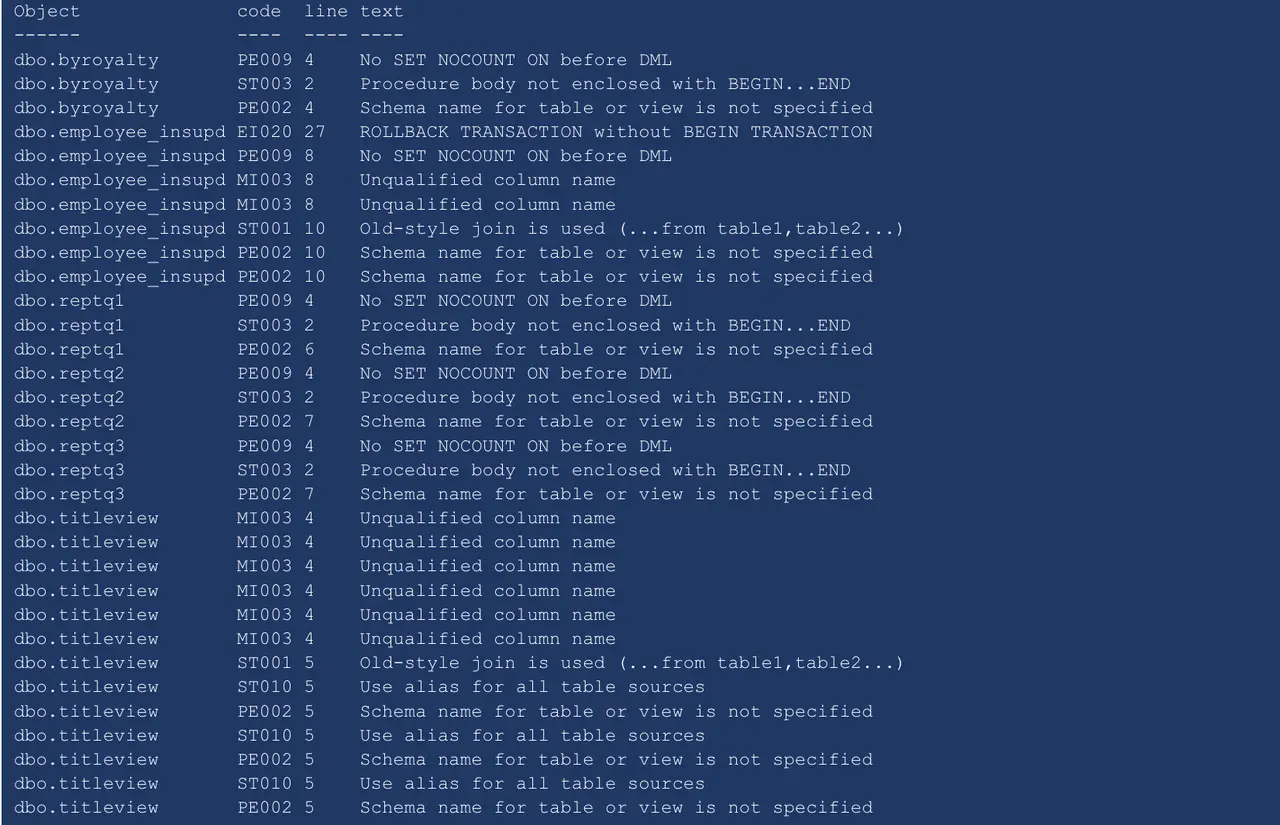
Flyway: Run
flyway check -code ....command to produce a report.
-
Liquibase: Run
checkcommand or manually integrate this command in automation. Users may go to admin console to view logs.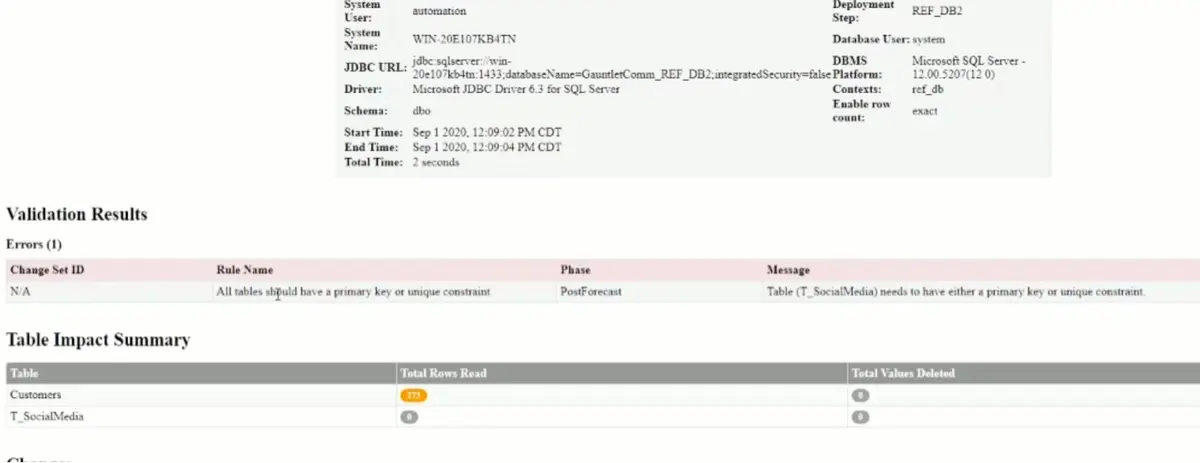
Change history
-
Flyway: Run
flyway infoto showflyway_schema_historytable. In 2025, enhanced info filters provide more granular control.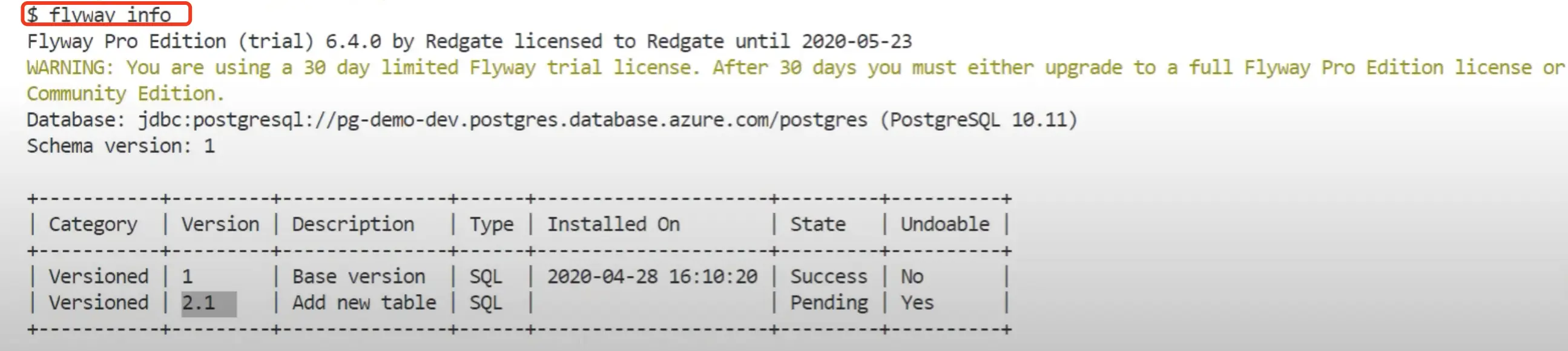
-
Liquibase: Simple Database Change Logs. In 2025, new parameters for the
historycommand and improved Operation Reports.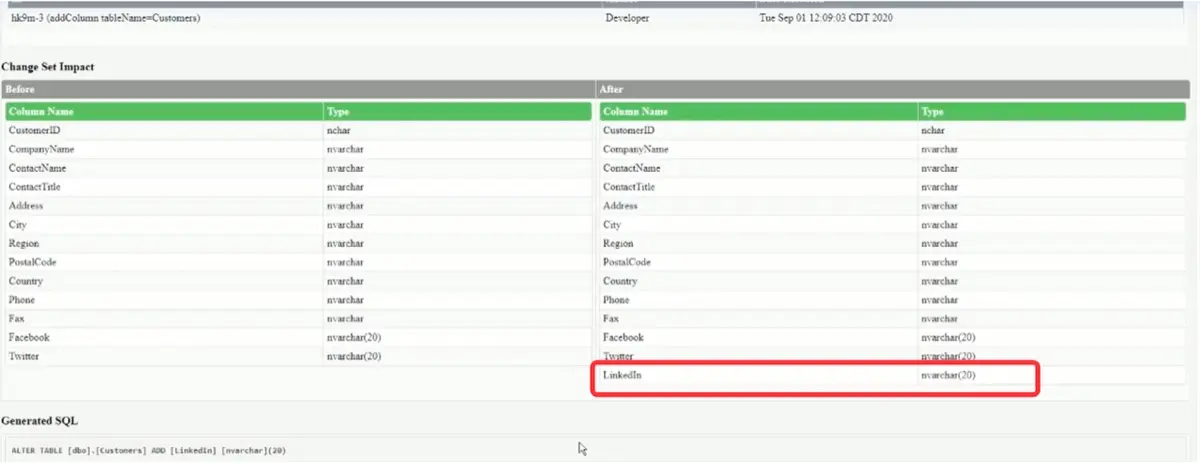
Sync schema
-
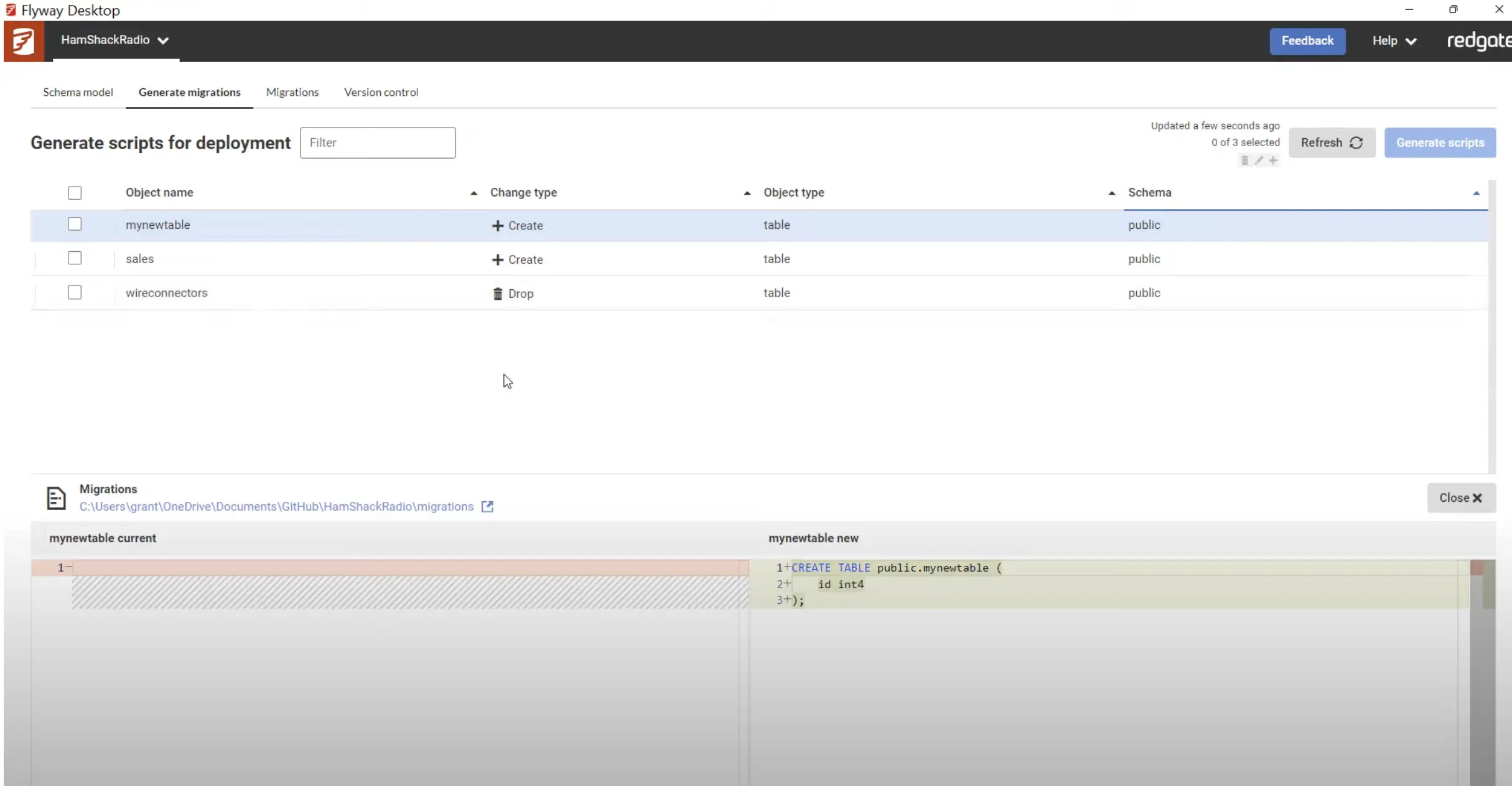
Flyway: Via Flyway Desktop, generate a migration script to bring the target database schema in sync. In 2025, the new backup-based baseline approach allows restoring a backup file instead of creating a database from scratch in the baseline script.
-
Liquibase: Support
diff-changelogto compare databases and create a deployable changelog to sync. In 2025, enhanced Drift Report capabilities improve schema synchronization.
Rollback
-
Flyway: Write rollback scripts manually. Enterprise only (Community does not support rollback).
-
Liquibase: Support
rollback-one-changesetorrollback. Enhanced Rollback Report in paid tiers.
Schema drift detection
-
Flyway: Run
flyway check -drift ...to produce a report indicating difference between target database and the one created by the migrations applied by Flyway. Enhanced in 2025 with more comprehensive code analysis. -
Liquibase: Run
liquibase diff --format=jsonto produce a report indicating difference between target database and source database. In 2025, improved Drift Report capabilities with better visualization.
Flyway enhancements in 2025-2026
Key features released in 2025:
- State-based deployments - Work the way you want with declarative schema definitions
- Backups as baseline - Use database backups instead of lengthy baseline scripts, solving issues with invalid objects or external server references
- Improved drift detection - Snapshots and drift resolution scripts to identify and resolve schema drift
- Database support - Added support for Postgres 18, SQL Server 2025, Oracle 26ai
- AI-powered migration descriptions - Flyway Desktop 8 generates descriptions based on migration script contents
- New shadow database dialog - Option to let Flyway create shadow databases automatically
- Schema model view - View all object definitions in Flyway Desktop
- SQLFluff 4.0.0 - Upgraded from 3.5.0
Important licensing change: Since May 2025, Flyway only offers Community (free) and Enterprise (paid). The Teams tier was discontinued for new customers.
Liquibase enhancements in 2025-2026
Liquibase 5.0 was released in September 2025 as a major release:
- Java 17 minimum requirement - Java 8 and 11 deprecated for improved performance and security
- Liquibase Secure 5.0 - Certified enterprise distribution with integrated extensions, drivers, and policies
- Liquibase Secure Developer - New VS Code extension for enterprise users
- AI Changelog Generator - MCP Server powered tool to convert natural language to production-ready changelogs (Private Preview)
- Databricks support - Added database connection support
Flow and automation enhancements:
- Conditional Flow File logic - Based on action exit codes with new
continueOnErrorproperty - Snowflake OAuth/PKI authentication - Simplified authentication for Snowflake's token-based requirements
- New policy check -
FormattedSqlHeaderRequiredensures proper SQL file formatting - Python checks enhancements - New
get_config_value()helper function
Important licensing change: Liquibase Community has adopted the Functional Source License (FSL) to ensure long-term sustainability while keeping the software free for developers.
Pricing
Flyway uses a per-user licensing model, while Liquibase uses a per-application/database-type licensing model.
| Aspect | Flyway | Liquibase |
|---|---|---|
| Free Tier | Community | Community (FSL license) |
| Paid Tiers | Enterprise only | 4 tiers: Starter, Growth, Business, Enterprise |
| Licensing Model | Per-user | Per-application + database types |
| Entry-Level | Enterprise (contact for quote) | Starter: up to 5 apps, 1 DB type |
| Mid-Tier | — | Growth (10 apps, 3 DB types), Business (25 apps) |
| Enterprise | Unlimited (custom pricing) | Unlimited apps & DB types, 24/7 support |
| Pricing | Contact sales | Contact sales (all tiers) |
Summary
Both Flyway and Liquibase are Java-based, offering with SDKs and CLI support, and follow a migration-based approach to schema changes. They also leverage the same open-source monetization strategy. While Flyway is generally considered more developer-friendly, Liquibase offers a broader set of advanced features.
The key difference is that Liquibase introduces the Changelog and Flow concepts, enabling users to specify explicit migration ordering, preconditions, labels, and contexts. In contrast, Flyway determines migration order based solely on file naming conventions.
Both tools offer a Git-like experience for database migrations. However, if you're seeking a GitHub/GitLab-style experience with a user-friendly GUI and team collaboration features, consider our own Bytebase. Continue reading for a side-by-side comparison with each tool: